
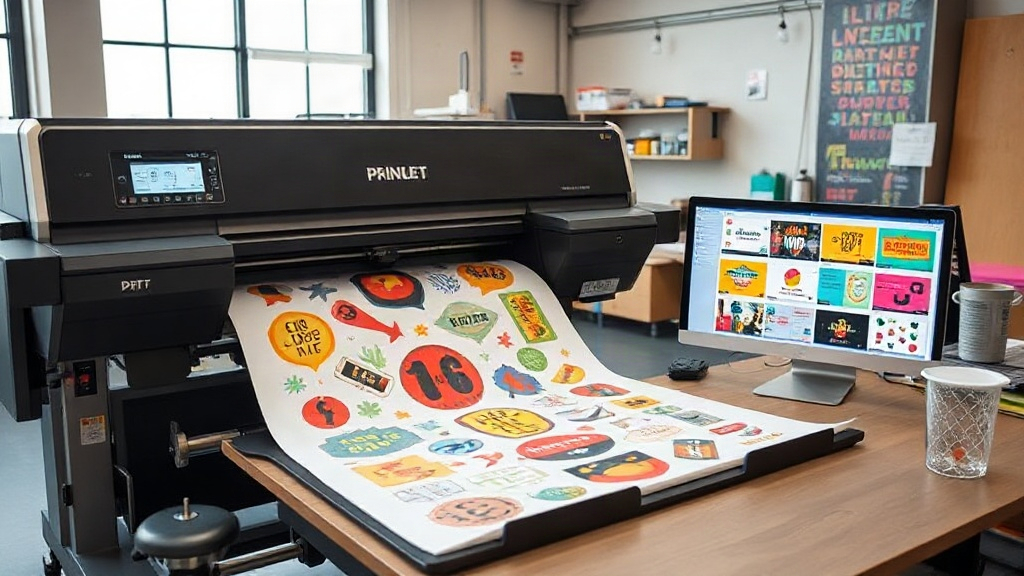
If you run a custom apparel business or a print shop, you know that time is money. Every minute spent manually arranging designs on transfer film eats into your profits. That's where a DTF gangsheet builder comes in. This tool lets you combine multiple designs into a single sheet, maximizing your substrate and minimizing waste. In this article, we'll explore how a DTF gangsheet builder works, why it's a game-changer, and how to use it effectively to grow your business.
What Is a DTF Gangsheet Builder?
A DTF gangsheet builder is a software tool that helps you arrange multiple DTF (Direct to Film) transfer designs onto a single large sheet, often called a gangsheet. Instead of printing each design individually, you nest them together efficiently, much like a puzzle. This approach saves transfer film, ink, and time. The builder automatically optimizes the layout, considering design dimensions, spacing, and even cut lines. For any serious DTF printer, this tool is indispensable.
Why You Need a DTF Gangsheet Builder
Let's face it: manual layout is tedious and error-prone. A DTF gangsheet builder eliminates guesswork. Here are the key benefits:
- Cost savings: By fitting more designs per sheet, you reduce film and ink consumption. For example, a well-optimized gangsheet can cut film usage by up to 30% compared to individual prints.
- Time efficiency: Automated nesting means you spend less time arranging and more time printing. What used to take an hour now takes minutes.
- Consistency: The builder ensures uniform spacing and alignment, reducing errors and reprints.
- Scalability: Whether you're printing 10 or 100 designs, the builder handles it all, making it easy to scale your production.
How to Choose the Right DTF Gangsheet Builder
Not all gangsheet builders are created equal. When selecting a tool, consider these factors:
1. Ease of Use
A good builder should have an intuitive interface. You don't want to spend hours learning complex software. Look for drag-and-drop functionality and clear visual guides.
2. Automation Features
Does it automatically rotate and nest designs? Can it detect edges and optimize spacing? The more automated, the better. Some advanced builders even use AI to minimize waste.
3. Compatibility
Ensure the builder supports your printer's file formats (e.g., PNG, PDF) and works with your DTF printer model. Compatibility with popular design software like Photoshop or Illustrator is a plus.
4. Cost
Some builders are free, while others require a subscription. Evaluate your budget and expected ROI. Often, the time and material savings quickly outweigh the cost.
Step-by-Step: Using a DTF Gangsheet Builder
Ready to get started? Here's a typical workflow:
- Import your designs: Upload your artwork files. The builder will display them in a library.
- Set your sheet size: Enter the dimensions of your transfer film roll or sheet. Common sizes include 13x19 inches or 22x36 inches.
- Add designs to the canvas: Drag and drop designs onto the sheet. The builder may auto-arrange them initially.
- Optimize layout: Use the auto-nest feature or manually adjust. Rotate designs to fill gaps. Aim for minimal empty space.
- Add cut lines and spacing: Ensure there's enough space between designs for cutting. Most builders allow you to set a gap (e.g., 0.1 inch).
- Preview and print: Check the layout, then send it to your DTF printer. The builder may generate a print-ready file.
Best Practices for DTF Gangsheet Building
To get the most out of your DTF gangsheet builder, follow these expert tips:
- Group similar designs: If you have multiple sizes of the same design, place them together to streamline cutting.
- Mind the grain: DTF film has a grain direction. Ensure designs are oriented correctly for optimal adhesion.
- Leave room for trimming: Don't overcrowd. Leave at least 0.25 inches between designs for easy cutting.
- Use high-resolution images: Low-res images may look fine on screen but print poorly. Always use 300 DPI or higher.
- Test with a small sheet: Before committing to a full roll, do a test print to check colors and alignment.
Common Mistakes to Avoid
Even with a builder, some pitfalls can cost you. Avoid these:
- Overlapping designs: This can cause color bleeding or misprints. Always maintain spacing.
- Ignoring printer margins: Most printers can't print to the edge. Keep designs within the printable area.
- Forgetting about cut lines: Without proper spacing, cutting becomes a nightmare. Use the builder's cut line feature.
- Not updating software: Builders often release updates with new features. Keep yours current.
How a DTF Gangsheet Builder Boosts Your Bottom Line
Let's talk numbers. Suppose you print 100 designs per day. Manually, you might fit 20 per sheet, using 5 sheets. With a gangsheet builder, you could fit 30 per sheet, using only 3.33 sheets. That's a 33% reduction in film usage. At $1 per sheet, you save $1.67 per day, $50 per month, $600 per year. Add ink savings and labor time, and the ROI is clear. Plus, faster turnaround means happier customers and more orders.
Integrating a DTF Gangsheet Builder into Your Workflow
To seamlessly incorporate the builder, consider these steps:
- Train your team: Ensure everyone knows how to use the tool. A short training session can prevent costly mistakes.
- Standardize sheet sizes: Stick to a few common sizes to simplify inventory and planning.
- Automate file naming: Use a consistent naming convention for gangsheets to avoid confusion.
- Monitor waste: Track how much film you use before and after. The builder should reduce waste; if not, tweak settings.
Future of DTF Gangsheet Builders
As DTF printing grows, so will the tools. We can expect AI-powered builders that learn from your patterns, suggest optimal layouts, and even predict demand. Cloud-based builders will allow collaboration and remote access. Staying updated with these advancements will keep your shop competitive.
Frequently Asked Questions
What is a DTF gangsheet builder?
A DTF gangsheet builder is software that arranges multiple DTF transfer designs onto a single sheet to maximize material usage and efficiency.
Can I use a DTF gangsheet builder for free?
Yes, some free builders exist, but they may have limited features. Paid versions often offer advanced automation and support.
How does a gangsheet builder reduce costs?
By nesting designs tightly, it reduces film and ink consumption, and speeds up production, lowering labor costs.
Is a DTF gangsheet builder compatible with any DTF printer?
Most builders support common file formats, but check compatibility with your specific printer model. Some builders are tailored to certain brands.
What file formats should I use with a DTF gangsheet builder?
PNG and PDF are widely supported. Ensure your designs are high-resolution (300 DPI) for best results.
Ready to streamline your DTF printing? Try a DTF gangsheet builder today and watch your productivity soar.