
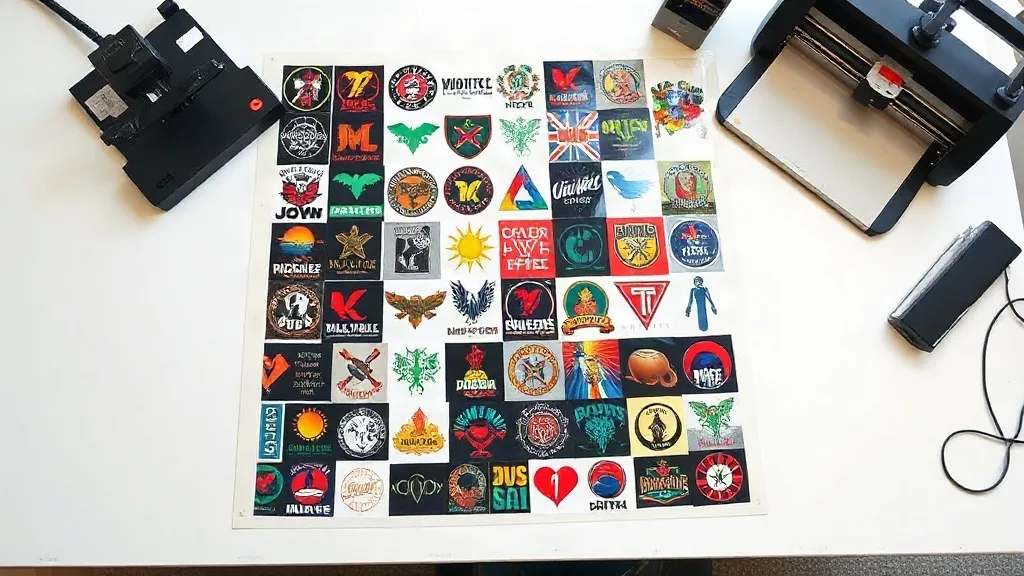
If you run a small print shop or an online apparel business, you already know that every penny counts. Material costs, labor, and turnaround times can eat into your margins faster than you can say “profit.” That’s where a DTF Gangsheet comes in. This clever printing solution lets you pack multiple designs onto a single sheet, slashing waste and saving you serious money. In this guide, we’ll break down what a DTF gangsheet is, why it’s a game-changer for your bottom line, and how to use it like a pro.
What Exactly Is a DTF Gangsheet?
DTF stands for Direct-to-Film, a printing technology where designs are printed onto a special film, coated with adhesive powder, and then heat-pressed onto fabric. A gangsheet takes this a step further: instead of printing one design per sheet, you arrange multiple designs onto a single large film. Think of it as a digital collage of your artwork, all printed in one pass. The result? You use less film, less ink, and less time, while getting the same vibrant, durable transfers.
Gangsheets are typically created using design software or online tools where you can drag and drop your artwork onto a template. Once the layout is set, the sheet is printed, powdered, and cured. The individual designs are then cut out (often with a vinyl cutter or scissors) and applied to garments. It’s a straightforward process that scales beautifully from one-off projects to bulk orders.
Why DTF Gangsheets Are a Cost-Saving Powerhouse
Let’s talk numbers. Traditional DTF printing requires a separate sheet for each design, which means you’re paying for film, ink, and powder for every single item. With gangsheets, you consolidate multiple designs onto one sheet, reducing material consumption by up to 70% (depending on how tightly you nest the designs). That’s a huge saving, especially if you’re producing small batches or custom orders with different graphics.
But the savings don’t stop at materials. Gangsheets also cut down on labor time. Instead of loading and unloading the printer for each design, you print once, powder once, and cure once. For a busy shop, that’s hours saved every week. Plus, fewer printer passes mean less wear and tear on your equipment, extending its lifespan.
Material Efficiency: Less Waste, More Profit
Film and ink are your biggest consumables. A gangsheet lets you fill every inch of the sheet, leaving minimal unused space. By nesting designs cleverly, you can squeeze every last bit of film. This is particularly useful for small designs like logos, slogans, or left-chest prints that would otherwise leave a lot of empty film on a standard sheet.
Time Savings: Speed Up Your Workflow
Time is money. A gangsheet streamlines your production line: one print job, one powdering session, one curing cycle. If you’re a one-person operation, this means you can take on more orders without hiring extra help. For larger shops, it frees up your staff to focus on other tasks like customer service or design.
How to Design a DTF Gangsheet Like a Pro
Creating an effective gangsheet is both an art and a science. You want to maximize space without sacrificing print quality. Here’s how to do it right.
1. Use the Right Software
While some printers come with proprietary software, many professionals use vector graphics editors like Adobe Illustrator or free alternatives like Inkscape. These tools let you arrange designs precisely, ensuring proper spacing and orientation. Look for features like “nesting” that automatically optimize layout.
2. Mind the Gaps
Leave a small gap (about 2-3 mm) between designs to make cutting easier and prevent color bleeding. Also, keep designs at least 1 cm away from the sheet edges to avoid misprints.
3. Group Similar Colors
If your printer uses a CMYK+White ink setup, grouping designs with similar color profiles can reduce ink switching and improve efficiency. For example, place all dark-colored designs together.
4. Rotate and Flip
Don’t be afraid to rotate designs to fill awkward spaces. Just remember that text should remain readable after transfer, so avoid flipping unless necessary.
5. Test Print a Small Section
Before committing to a full sheet, print a small test patch to check color accuracy and adhesion. This is especially important when using new materials or working with intricate designs.
Common Mistakes to Avoid with DTF Gangsheets
Even seasoned pros can slip up. Here are the pitfalls to watch out for.
- Overcrowding: Packing designs too tightly can cause ink smudging or make cutting a nightmare. Always leave breathing room.
- Ignoring grain direction: Some fabrics have a grain that affects how the transfer looks. Always test orientation.
- Using low-resolution images: Gangsheets don’t magically improve image quality. Garbage in, garbage out. Always use high-res files (300 DPI or higher).
- Forgetting about powder: After printing, you must apply adhesive powder evenly. Skipping this step or using too little powder leads to poor adhesion.
- Not accounting for shrinkage: If you’re printing on stretchy fabrics, designs may distort. Preheat the fabric before pressing to minimize shrinkage.
Maximizing Your Savings: Tips from the Trenches
We’ve helped countless shops optimize their DTF workflow. Here are some insider tips to get the most out of your gangsheets.
- Combine orders: If you have multiple customers with small orders, batch them onto one gangsheet. Just make sure you label each design clearly to avoid mix-ups.
- Standardize sizes: Offer common sizes (e.g., 12″x12″, 22″x24″) to make nesting easier and reduce waste.
- Reuse offcuts: Leftover film from a gangsheet can be used for tiny designs like tags or pocket logos. Don’t throw them away!
- Invest in a vinyl cutter: If you’re doing high volume, a vinyl cutter with a contour cut feature can automate cutting, saving hours of manual work.
- Track your usage: Keep a log of how many designs you fit per sheet and your material costs. You’ll quickly see where you can improve.
Frequently Asked Questions About DTF Gangsheets
How many designs can I fit on one DTF gangsheet?
It depends on the size of your designs and the sheet dimensions. A standard 22″x24″ sheet can hold dozens of small logos or several large back prints. Using nesting software helps maximize capacity.
Can I mix different fabric types on the same gangsheet?
Yes, the transfers themselves are versatile and work on cotton, polyester, blends, and even some synthetics. However, you’ll need to adjust your heat press settings for each fabric type during application.
What’s the minimum order quantity for gangsheets?
Many suppliers offer gangsheets with no minimum, allowing you to print as few as one sheet. This is perfect for testing designs or handling small custom orders.
How long does a DTF gangsheet last?
When stored properly in a cool, dry place away from direct sunlight, DTF transfers can last up to 12 months. Once applied, the print durability depends on washing and wear, typically lasting 50+ washes.
Do I need special equipment to use gangsheets?
You’ll need a DTF printer, a heat press, and adhesive powder. A vinyl cutter is optional but recommended for efficiency. No other specialized equipment is required.
Ready to slash your production costs and boost efficiency? Try incorporating DTF gangsheets into your workflow today. Your bottom line will thank you.