
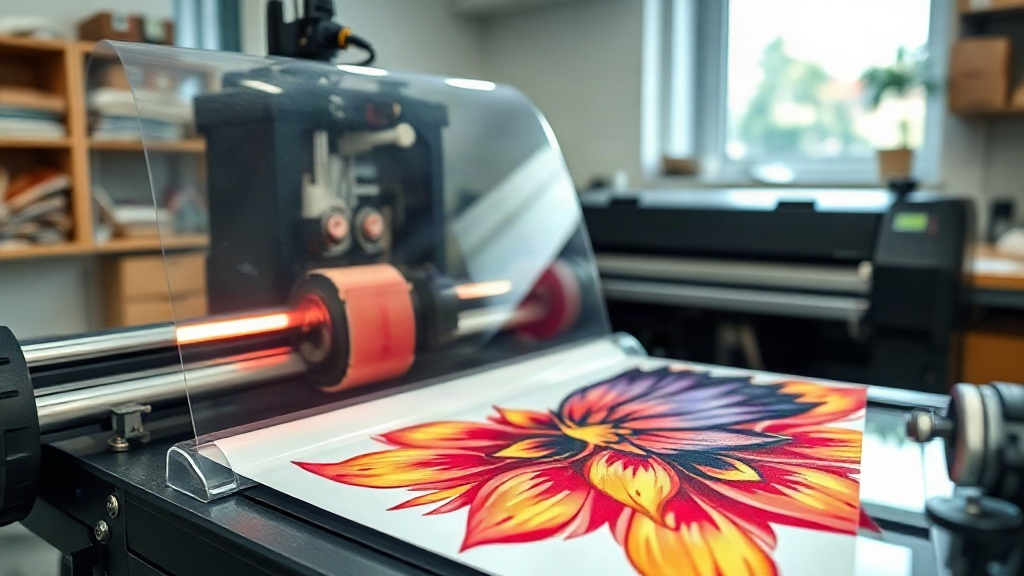
When I first heard about DTF printing, I was skeptical. Could a transfer really adhere to cotton, polyester, and blends without the hassle of weeding? After months of testing, I can confidently say that DTF (Direct to Film) has become my go-to method for producing custom apparel. Whether you're a hobbyist or a small business owner, this guide will walk you through everything you need to know to get started with DTF printing.
What Exactly Is DTF Printing?
DTF stands for Direct to Film. It's a digital printing process where your design is printed onto a special film, coated with adhesive powder, and then heat-pressed onto fabric. Unlike DTG (Direct to Garment), which prints directly onto the shirt, DTF allows you to print on a wide range of materials, including 100% cotton, polyester, blends, and even treated leather. The magic lies in the film and powder combination that creates a flexible, stretchable bond.
Why Choose DTF Over Other Methods?
There are several reasons why DTF has gained massive popularity in recent years. First, it eliminates the need for weeding, which saves hours of tedious work. Second, it works on dark and light garments without requiring a separate white underbase. Third, the prints are incredibly durable, often outlasting the garment itself. And finally, the startup cost is relatively low compared to screen printing or DTG. If you're looking for versatility and efficiency, DTF is a strong contender.
Materials You'll Need
Before diving in, gather these essentials:
- DTF printer (or a modified inkjet printer with DTF ink)
- DTF film (usually PET film)
- DTF ink (CMYK plus white)
- Adhesive powder (hot melt or TPU)
- Heat press or heat gun with infrared thermometer
- Transfer paper or parchment paper
- Lint-free cloth and gloves
Investing in quality supplies will make a huge difference in your results. Cheap film can cause ink smearing, and low-grade powder may lead to poor adhesion.
Step-by-Step DTF Printing Process
1. Design Preparation
Start with a high-resolution image (300 DPI is ideal). Remember that DTF prints are mirrored, so flip your design horizontally before printing. If you're using a RIP software, it will handle the mirroring automatically. Also, ensure your design has a transparent background if you want it to blend seamlessly with the fabric.
2. Printing the Transfer
Load your DTF film into the printer. Make sure the film is loaded with the correct side facing the printhead (usually the rough side). Print your design using the DTF ink set. The printer will lay down a layer of white ink behind the colors to make them pop on dark garments. This white layer is crucial; without it, your colors will look dull.
3. Applying Adhesive Powder
While the ink is still wet, generously sprinkle the adhesive powder over the printed area. Then, shake off the excess. You want an even coating, but not too thick. A common mistake is applying too much powder, which can cause a stiff feel. For best results, use a powder shaker for consistency.
4. Curing the Powder
Place the film in an oven or under a heat source to melt the powder. The ideal temperature is around 160°C (320°F) for 2-3 minutes. Alternatively, you can use a heat press with low pressure for about 30 seconds. The powder should turn glossy and gel-like. If it's still powdery, it needs more heat. Be careful not to over-cure, as it can burn the film.
5. Transferring to Fabric
Set your heat press to 160°C (320°F) with medium pressure. Pre-press the garment for a few seconds to remove moisture. Place the transfer face-down onto the fabric. Press for 10-15 seconds. For best results, use a Teflon sheet or parchment paper over the transfer to protect it. After pressing, wait for the transfer to cool completely before peeling. This is called a "cold peel." Peeling while hot can cause the design to stretch or tear.
Common DTF Printing Problems and Solutions
Even with experience, you might run into issues. Here are some common problems and how to fix them:
- Ink smearing: Usually caused by too much ink or low-quality film. Reduce ink density or switch to a premium film.
- Powder not sticking: The ink may be too dry. Print in a humid environment or increase ink saturation.
- Transfer peeling off after washing: This often means insufficient pressure or time during pressing. Try increasing pressure and pressing for a few seconds longer.
- Colors look faded: The white ink layer might be too thin. Increase white ink density in your RIP settings.
- Film jamming: Ensure the film is loaded correctly and that your printer's rollers are clean.
Tips for Vibrant, Long-Lasting Prints
To get the best results from your DTF printer, follow these tips:
- Use high-quality DTF ink and film from reputable suppliers.
- Maintain your printer regularly, especially the printhead and capping station.
- Store your DTF film in a cool, dry place to prevent moisture absorption.
- Always test your settings on a scrap piece of fabric before pressing a final product.
- Wash garments inside out in cold water and avoid fabric softeners to prolong the life of your DTF prints.
Frequently Asked Questions
Can I use DTF on 100% polyester?
Yes, DTF works well on polyester, but you need to adjust your pressing temperature. Polyester can scorch at high temperatures, so lower the press to around 140°C (285°F) and press for a shorter time. Also, use a cool peel to avoid distortion.
How durable are DTF prints?
When applied correctly, DTF prints can last as long as the garment. They withstand multiple washes without cracking or fading. However, proper washing and care will extend their life.
Do I need a special printer for DTF?
You can convert a standard inkjet printer (like Epson) to use DTF ink, but it's recommended to use a dedicated DTF printer for best results. These printers are designed to handle the white ink and film feeding mechanism.
What is the difference between DTF and DTG?
DTF prints on a film then transfers to fabric, while DTG prints directly onto the garment. DTF is more versatile with fabrics and doesn't require pre-treatment, but DTG can produce softer prints on 100% cotton.
How do I store DTF transfers?
Store unused DTF transfers in a cool, dry place, away from direct sunlight. Place them between sheets of parchment paper to prevent sticking. They can last for several months if stored properly.
With practice, DTF printing can become a reliable and profitable addition to your craft. Don't be afraid to experiment with different fabrics and designs. The possibilities are endless.